From lead to installation: a CRM for solar and grant-funded projects
1 / 0
1 tap in the field, 0 updates in the office
We built a custom CRM for a solar, heat pump and air-conditioning company: per-category kanban board, required documents, payment tracking and a mobile view for field staff. Existing clients and leads were migrated into the new system.
- Business
- Solar, energy storage, heat pumps, air conditioning; grant-funded energy projects
- Users
- 10–19 people: office, sales, grant writer, surveyors and installers
- Platforms
- Web, phone-optimised field view
- Integrations
- Calendar feed (Google, Apple), Google Maps, Waze, data import from the previous system
- 2026
- Live, supported
Screenshots
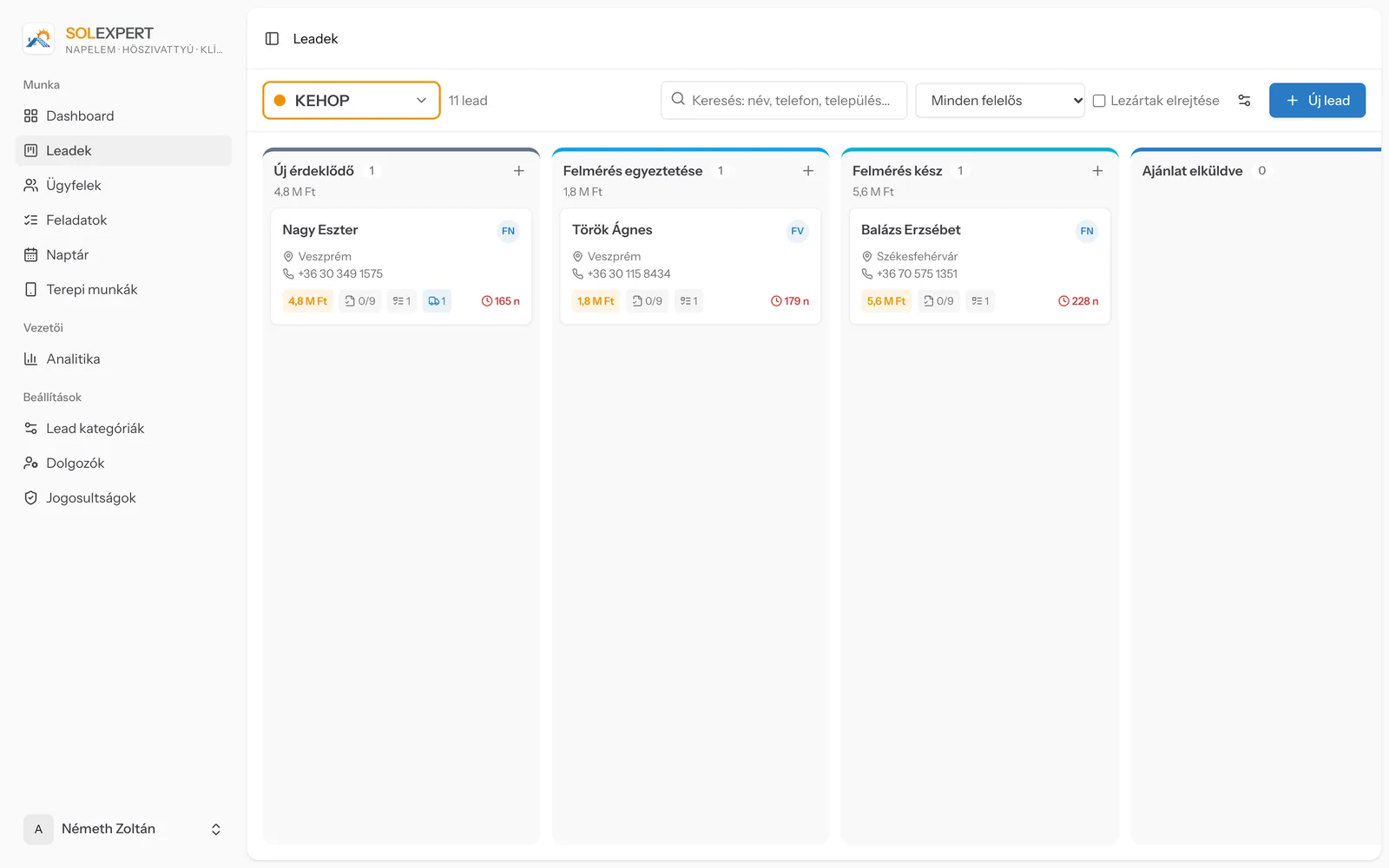
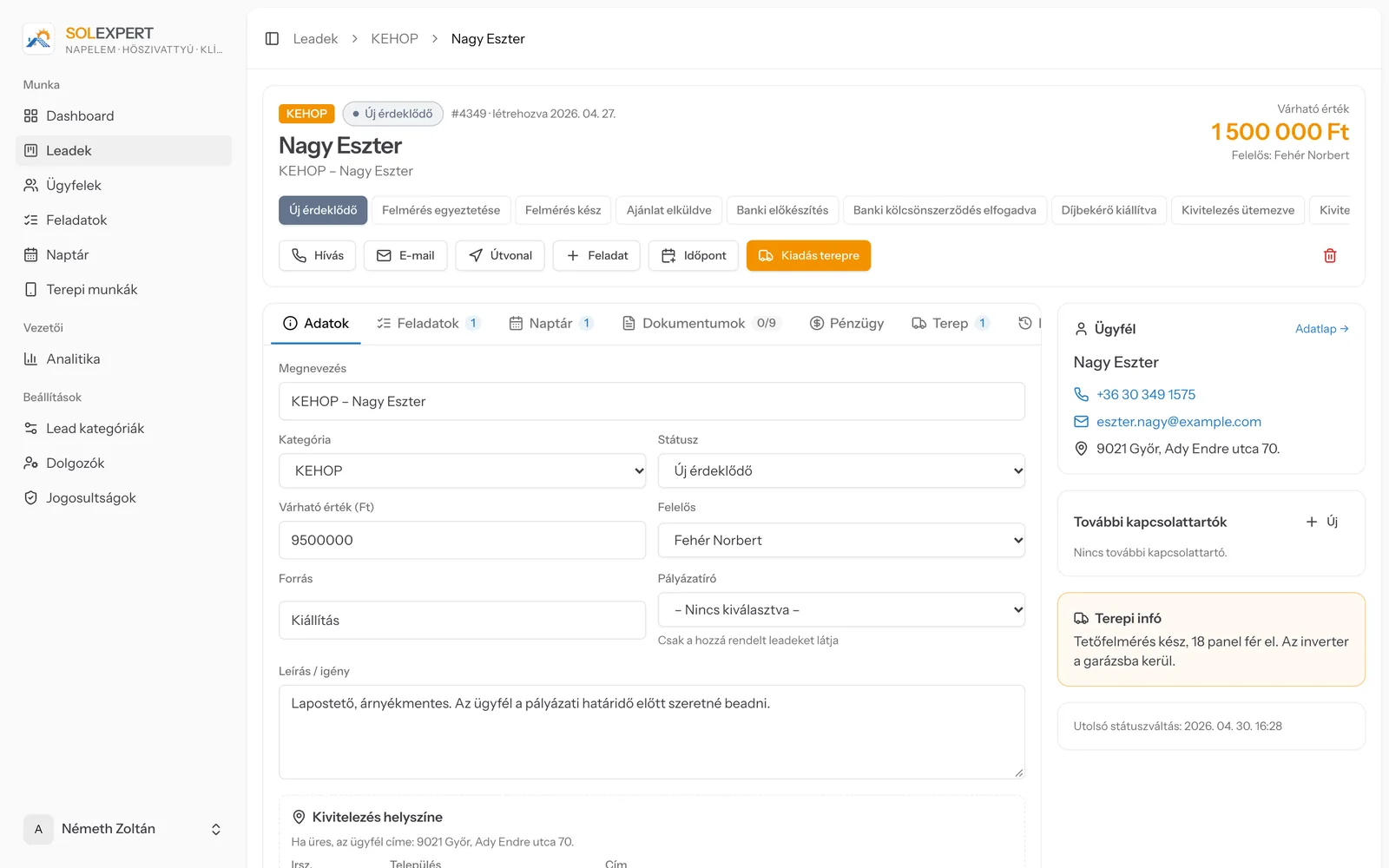
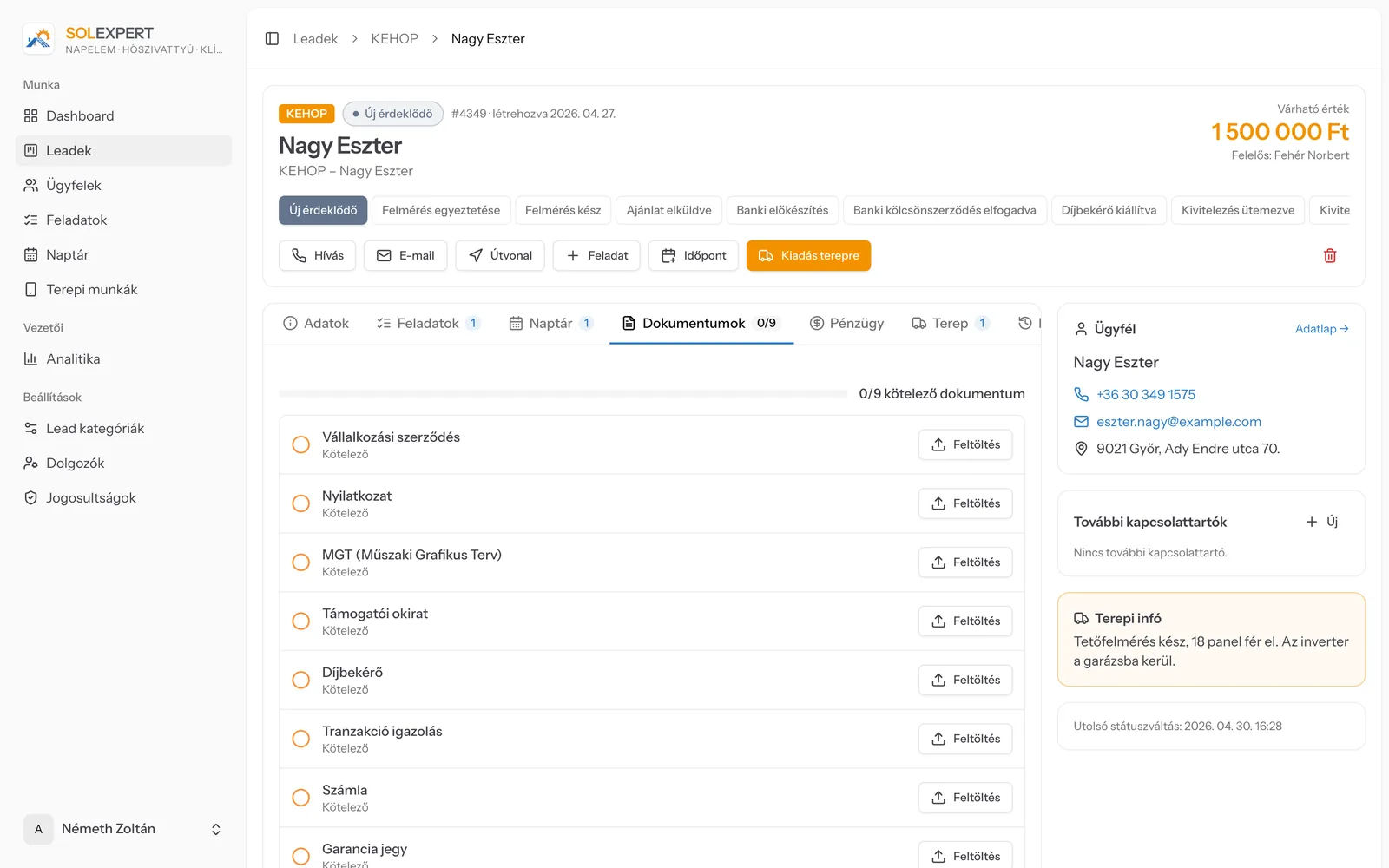
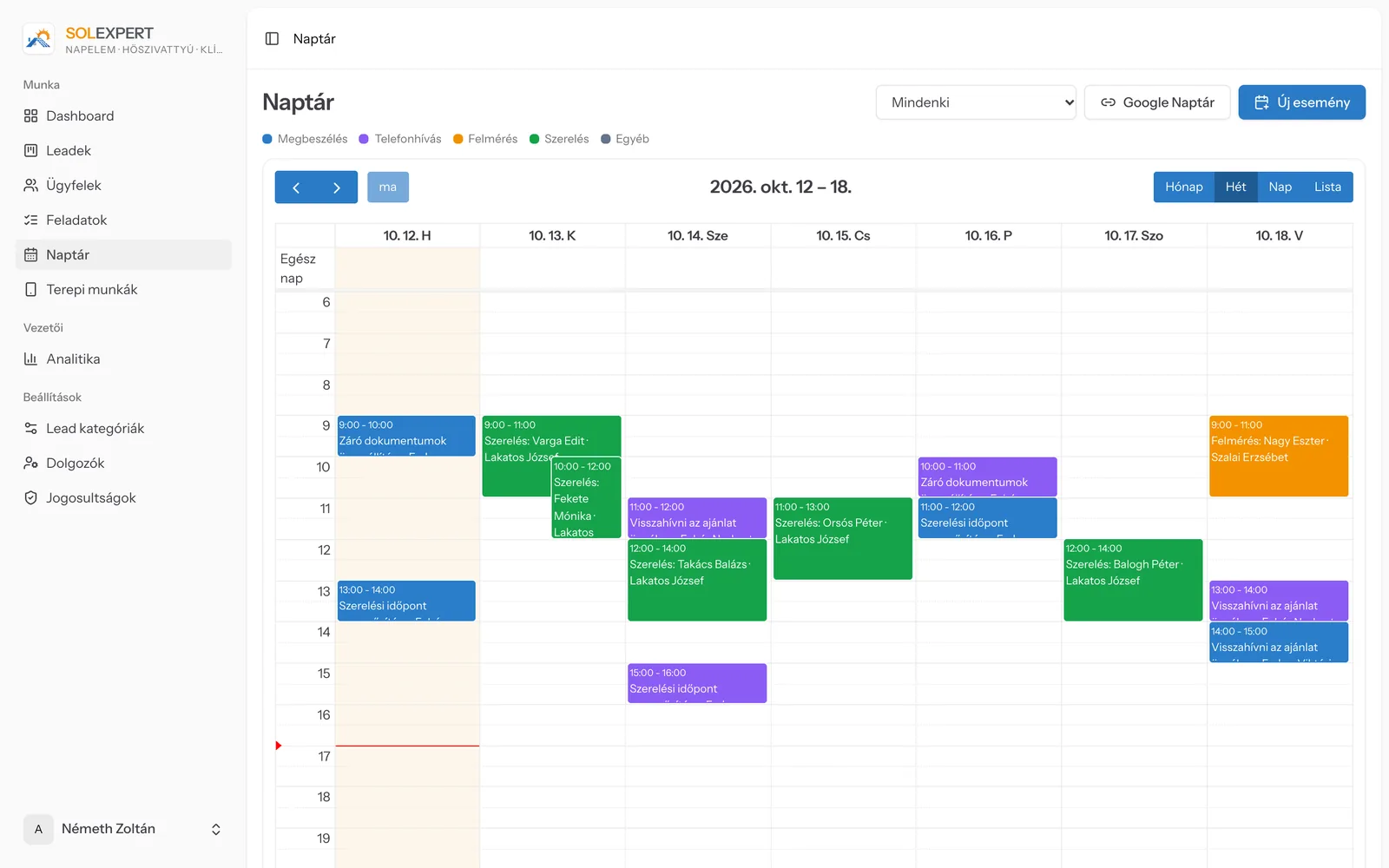
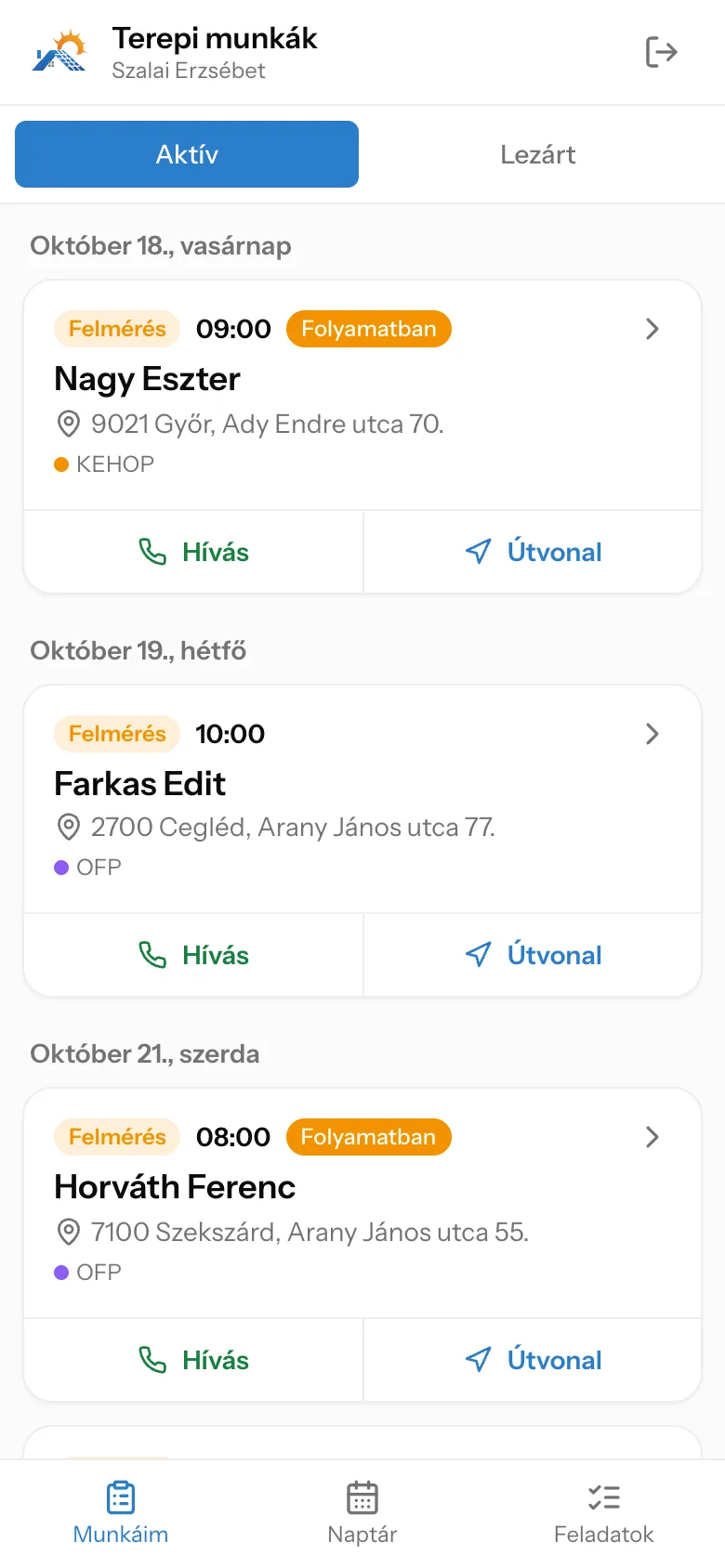
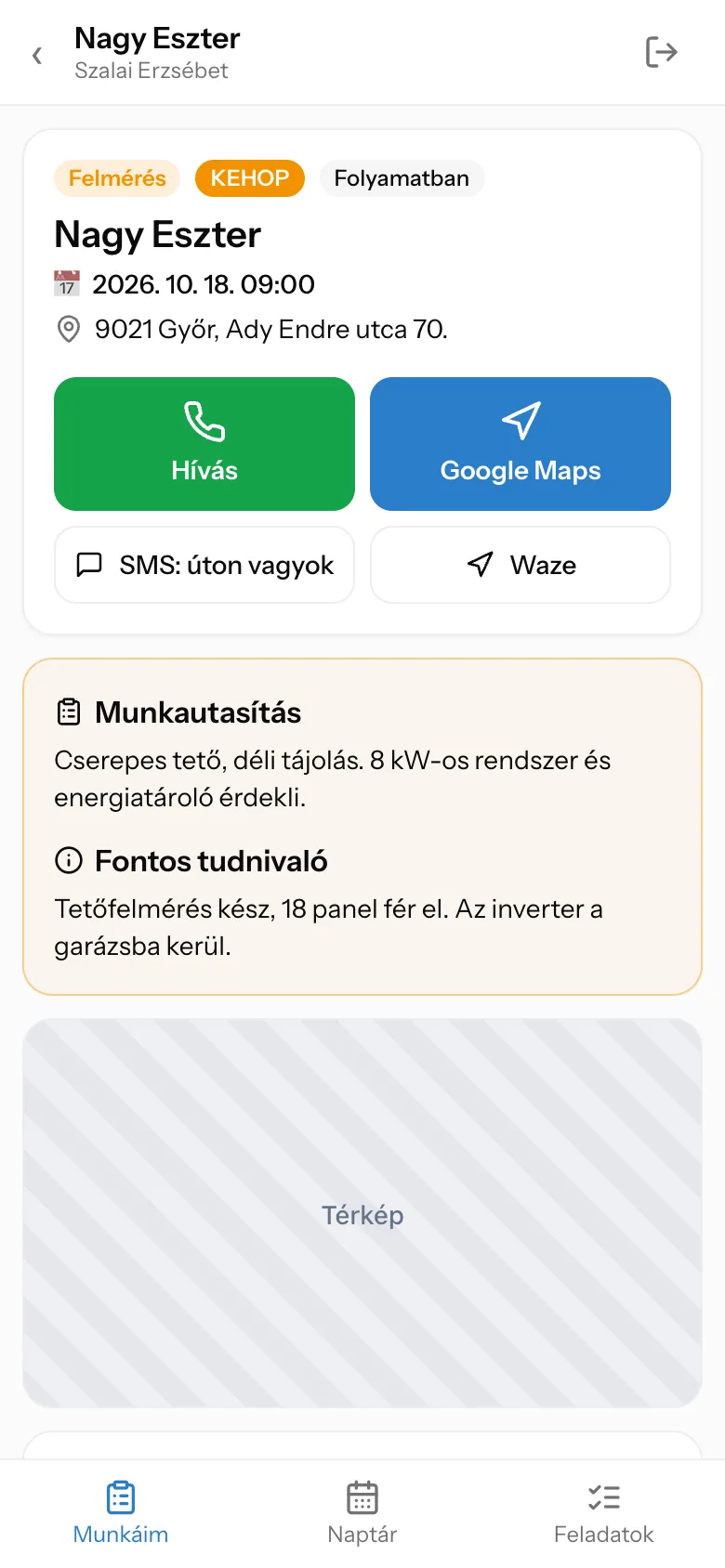
Screenshots use demo data – no real customer data is shown.
Contents
Modules
CRM – customer relationship managementControlling & decision support (MIS)Remote work & collaborationMobile back-end appsWorkflow managementElectronic document management
Technology
PHP 8Laravel 12Inertia.jsVue 3TypeScriptTailwind CSSFullCalendarMySQLiCalendar (ICS) feed
About the client
Sol Expert is an energy company headquartered in Gyula: it installs solar panels, battery storage, heat pumps and air conditioning, and guides its clients through state grant programmes from start to finish. In grant-funded work every document and deadline has to be right; Sol Expert holds itself to that standard, so it wanted a system that follows its own processes – not the other way round.
Starting point
The company previously tracked leads in a generic CRM. The new system brought the required documents of grant-funded cases, payments and field assignments into one place – following the company’s own processes.
What we built
- 01Kanban board per category with draggable cards: owner, value, required documents, open tasks, field assignments, days in status (red after 14 days)
- 02Lead page with quick actions (call, email, route, task, appointment, assign to field), contacts and full history
- 03Own status steps and required documents per category, with a checklist and progress bar; photo folders
- 04Payment tracking per lead: contract amount, payment items (own contribution, bank advance, final bank payment), overdue items flagged
- 05Field jobs assigned to a surveyor or installer, placed in their calendar; after “Done” the lead moves to the next status automatically
- 06Mobile view for field staff: job list, call, Google Maps and Waze, “on my way” SMS, photo upload, report
- 07Shared calendar with month, week, day and list views and drag-and-drop; personal calendar feed for the phone’s calendar
- 08Dashboard and analytics: conversion, won and open value, lead time, funnel, breakdown by category, salesperson and source
- 09Roles with an editable permission matrix; salespeople and the grant writer only see the leads assigned to them
Challenges
- Five user groups with row-level visibility: who can see which lead (own, assigned as grant writer, assigned to the field)
- A field “Done” must not advance a lead twice if the office has already moved it on
- Migrating the old system’s data: mapping pipelines and stages, with a re-runnable, duplicate-free import
Changes along the way
Something always changes on a large project. This is how we handled it.
Finance and grant writer added mid-project
After the first version it turned out that grant-funded projects needed payments and the grant writer’s work tracked in the system too. We added a finance tab, a grant writer role and photo folders, extending existing roles’ permissions automatically.
The workflow adapted to real data
At cut-over we added new statuses and categories based on the old system’s stages (e.g. energy storage, final energy assessment) so existing cases landed in the right place.
Timeline
Sep 2026
Core system: leads, clients, tasks, calendar, field view, permissions
Early Oct 2026
Payment tracking, grant writer role, photo folders
Early Oct 2026
Automatic status advance when a field job is completed
Oct 2026
Data migration from the previous system, go-live